Claude (desktop)
Download the Claude desktop app, then connect it to CheapAI with CC Switch or Folkbench Switch.
If you haven't installed a setup tool yet, start with Setup tools (required).
Download the Claude desktop app
Open the official download page claude.com/download and download the installer for your system. It requires macOS 13 or later, or Windows 10 or later.
Configure with CC Switch
Claude desktop and Claude CLI (Claude Code) are separate apps. In CC Switch, select Claude Desktop — not Claude Code.
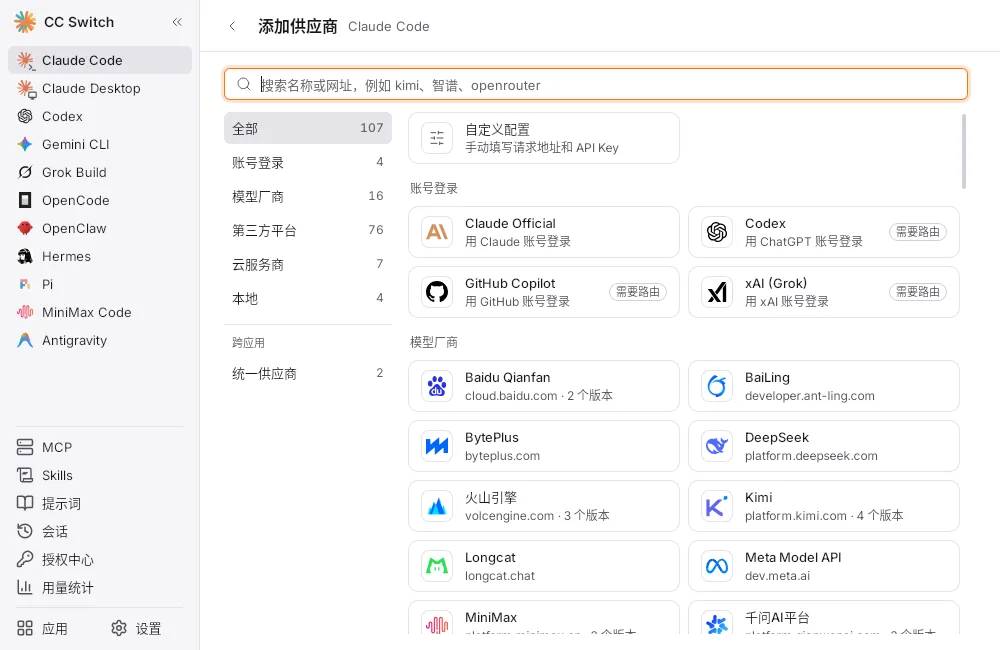
Open CC Switch, select Claude Desktop in the left sidebar, then click Add provider.
If it is missing, turn it on in the Apps page. Do not choose Claude Code.
- Choose Custom
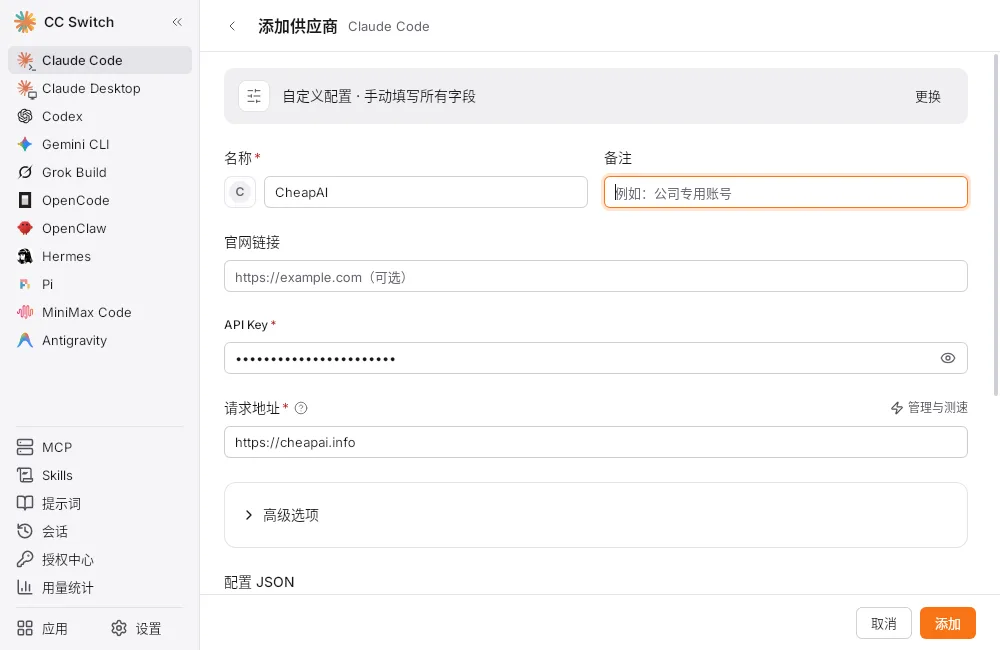
The form looks like Claude Code; make sure Claude Desktop is selected on the left. Fill in the following fields:
- Name:
CheapAI - API Key: paste the key from API Keys
- URL:
https://cheapai.info(no/v1)
- Name:
- Click Add. CheapAI should show In use (if not, click ▷ on the card).
- Fully quit and reopen the Claude desktop app (do not just close the window).
Configure with Folkbench Switch
In Folkbench Switch, select Claude Desktop in the top bar — not Claude Code.
Open Folkbench Switch, then:
- Switch to Pro in the top-right
- Select Claude Desktop in the top bar; do not choose Claude Code
- Click + Add service
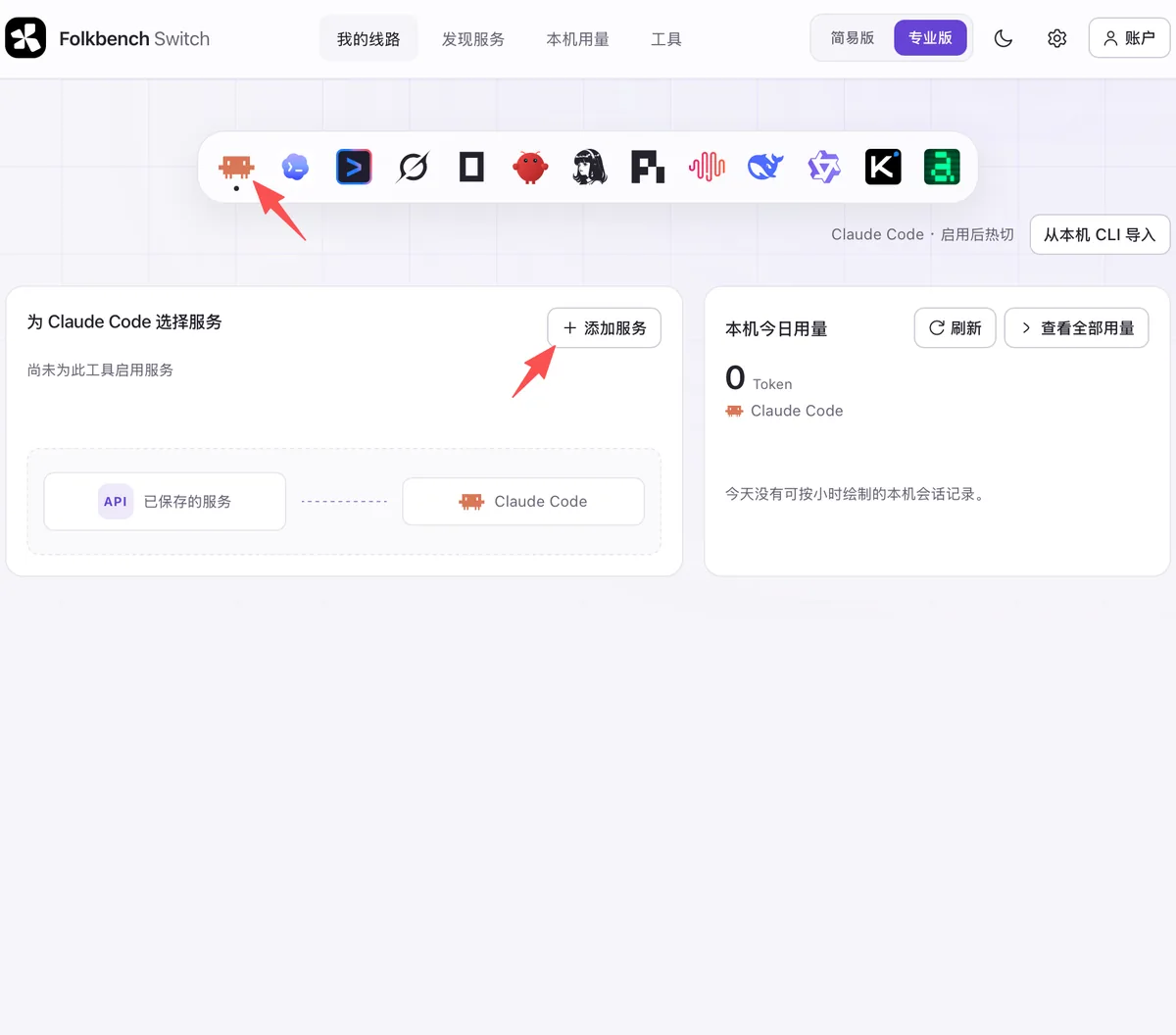
The screenshot shows Claude Code; the steps are the same, but select Claude Desktop in the top bar. - Choose Quick fill from listed sites
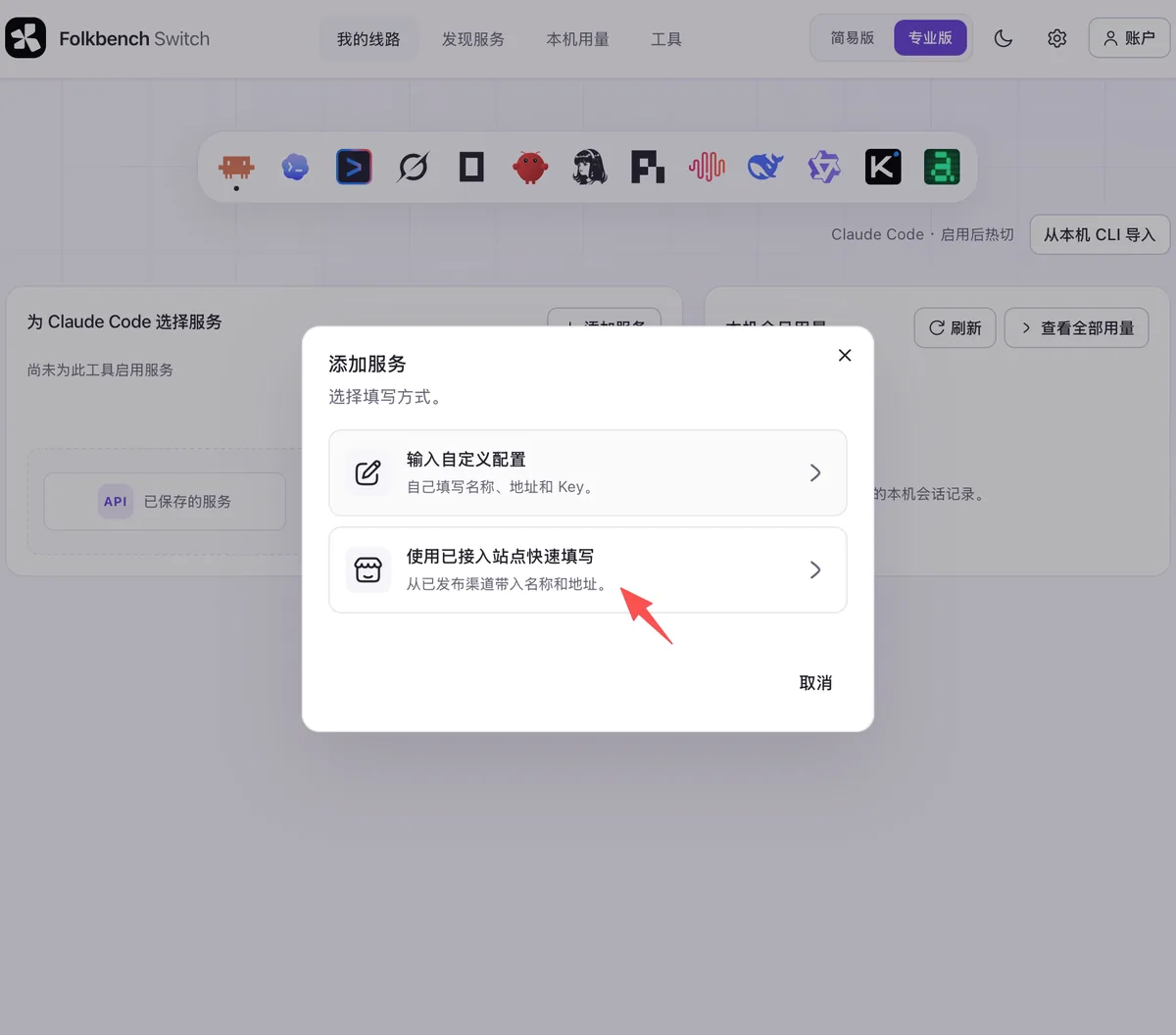
- Pick CheapAI
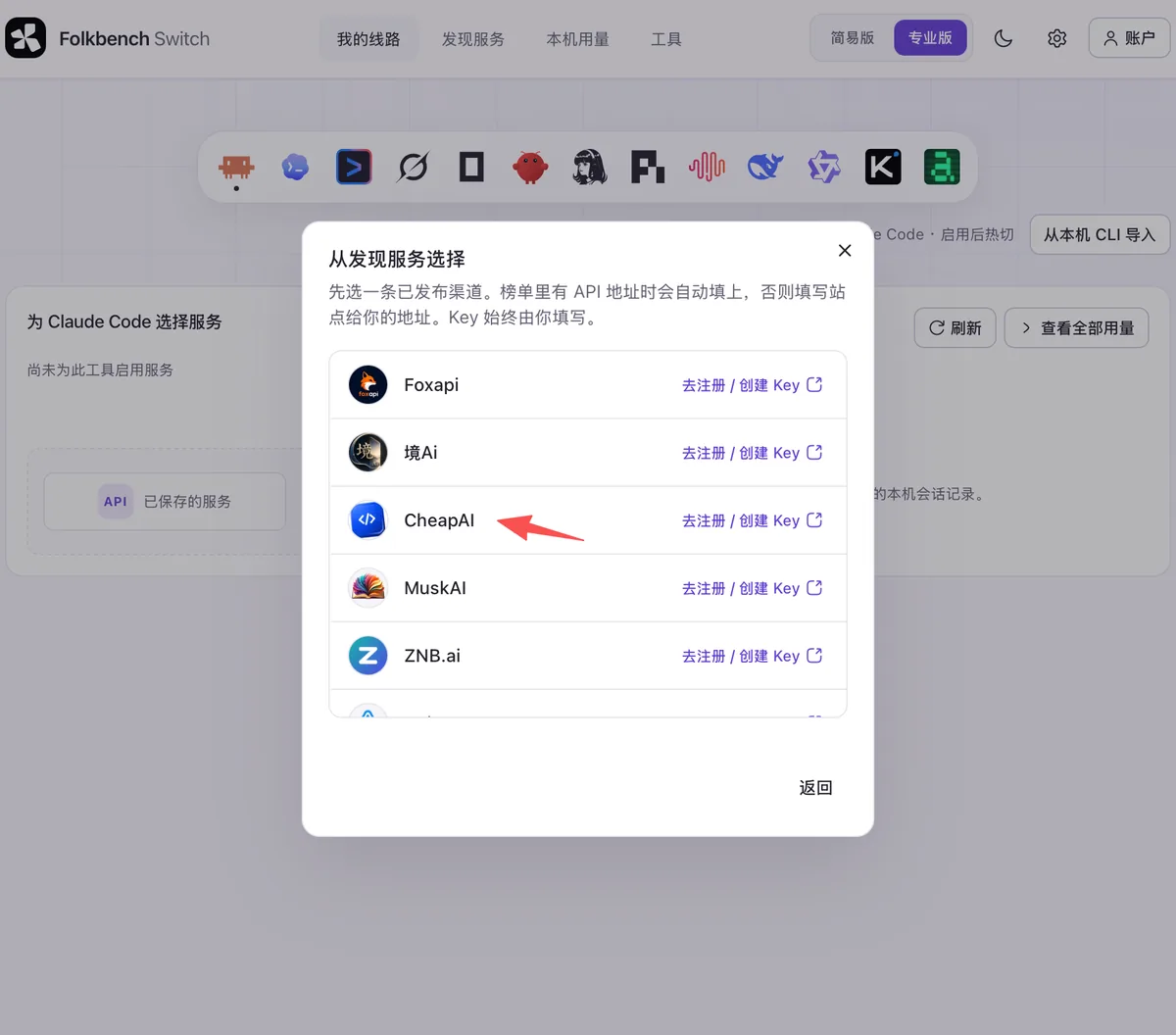
In Prepare service, confirm and fill in:
- Protocol:
Anthropic Messages (recommended) - API Base URL: keep
https://cheapai.info/v1(Folkbench strips the trailing/v1when writing Claude settings) - API Key: paste the key from API Keys
- Model: pick a Claude model
Then click Save.
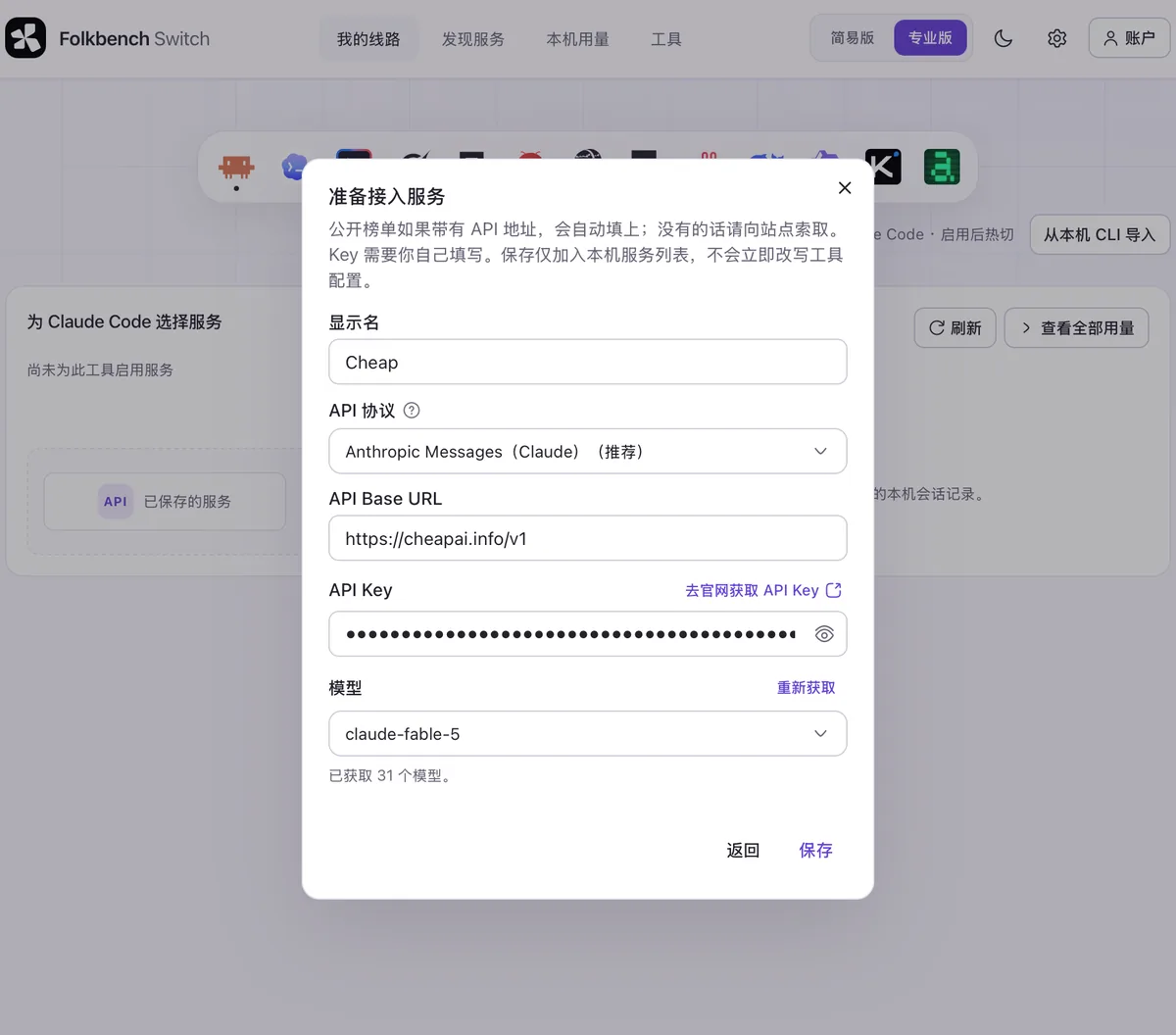
- Protocol:
Saving only adds it to the local list.
On the service card at the bottom, click Switch.
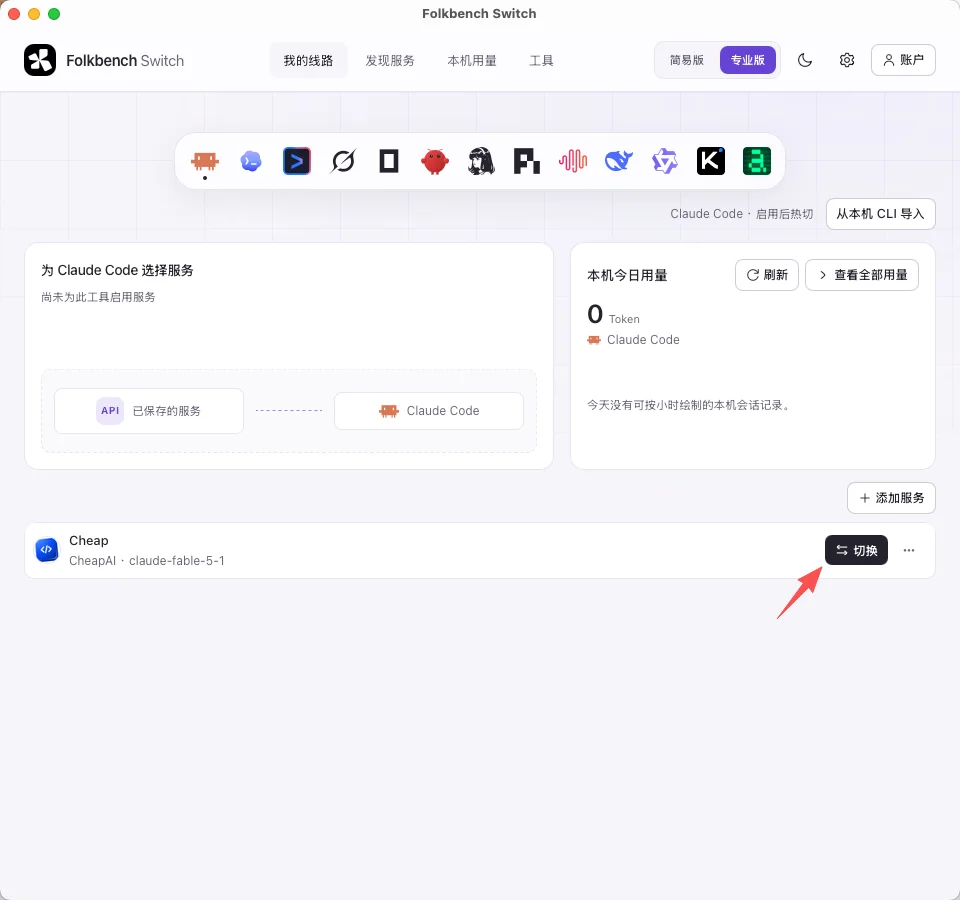
- Fully quit and reopen the Claude desktop app (do not just close the window).
If the desktop app does not recognize the model name, enable “Needs model mapping” on that provider, then restart Claude desktop.